

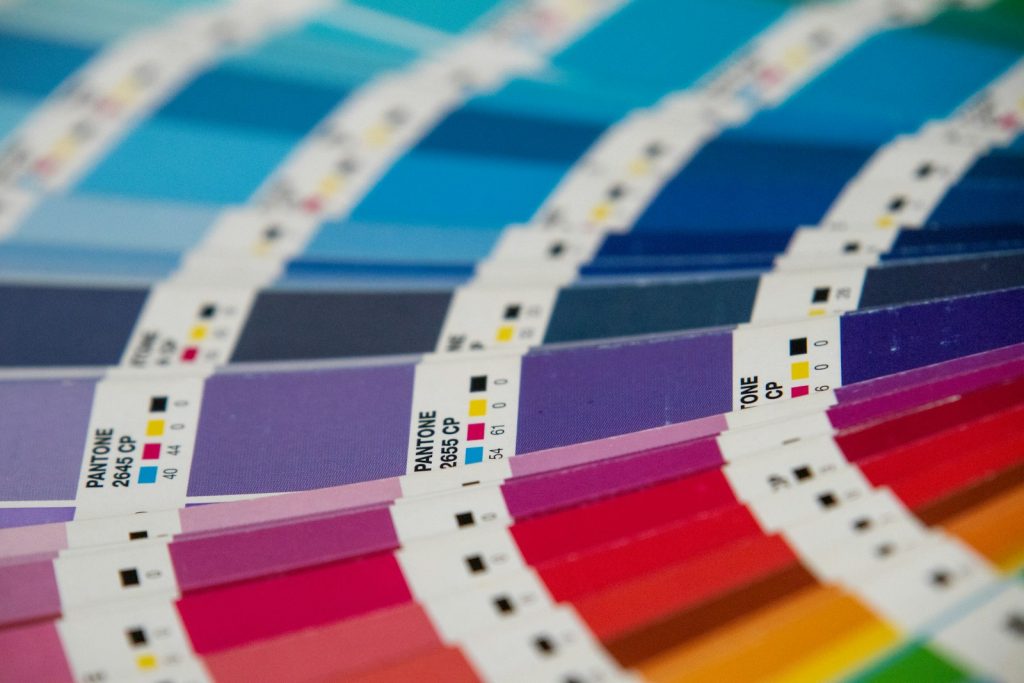
The short answer to RGB vs CMYK: use RGB for anything shown on a screen and CMYK for anything printed with ink on paper. RGB mixes red, green and blue light; CMYK mixes cyan, magenta, yellow and black ink.
In this RGB vs CMYK guide you will learn how each color model works, why a bright logo can look flat on a business card, when a printer actually needs CMYK files, and how to convert artwork step by step without unpleasant surprises at the print shop.
How does RGB work?
RGB is an additive color model that creates color by combining red, green and blue light, so adding more light makes the result brighter until all three channels at full strength produce white.
Every pixel on a phone, laptop or TV is a cluster of tiny red, green and blue light sources. In the common 8-bit encoding, each channel has 256 levels (0 to 255), which gives about 16.7 million possible combinations. A value of 0, 0, 0 is black because no light is emitted.
Web colors are RGB values written in different notations. The HEX code #FF5733 is just R 255, G 87, B 51 in hexadecimal, as our guide to HEX color codes explains in detail.
Most screens and browsers assume the sRGB color space, standardized by the International Electrotechnical Commission as IEC 61966-2-1:1999. An image without an embedded profile is usually treated as sRGB, which is why sRGB is the safe default for web graphics, social media and email.
How does CMYK work?
CMYK is a subtractive color model used in printing: cyan, magenta, yellow and black inks absorb (subtract) parts of the white light reflected by paper, so more ink makes the result darker.
Printers lay down tiny dots of the four process inks in different sizes and patterns, and the eye blends them into continuous tones. Values are written as percentages of ink coverage, for example C 0, M 66, Y 80, K 0 for a warm orange.
In theory, 100% cyan, magenta and yellow together would make black. In practice, the mix gives a muddy dark brown, so presses add a fourth ink, black, called K for “key”. The full story of the K channel, rich black and ink limits is a topic for our guide what CMYK is and how process printing works.
RGB vs CMYK at a glance
The core RGB vs CMYK difference is the medium: RGB describes emitted light on displays, while CMYK describes reflected light from ink on a physical surface.
| RGB | CMYK | |
|---|---|---|
| Color model | Additive (light) | Subtractive (ink) |
| Primary colors | Red, green, blue | Cyan, magenta, yellow, black (key) |
| All channels at maximum | White | Very dark, near black |
| Values | 0-255 per channel (8-bit), HEX codes | 0-100% ink per channel |
| Used for | Websites, apps, social media, video, presentations | Brochures, business cards, packaging, posters, magazines |
| Typical file formats | PNG, JPG, WebP, GIF, SVG | PDF (PDF/X), TIFF, EPS |
| Gamut | Larger overall, very saturated greens, blues and oranges | Smaller overall, varies with paper and press |
| Common standards | sRGB (IEC 61966-2-1), Display P3 | FOGRA39, GRACoL2013 (CRPC6), other ICC profiles |
The RGB vs CMYK table shows why one file rarely serves both worlds. A PNG made for Instagram and a PDF made for an offset press are built from different assumptions, even when the design is identical.
RGB vs CMYK gamut: why do printed colors look different?
Colors change in print because the CMYK gamut, the range of colors a press can reproduce, is smaller overall than the RGB gamut of a modern screen, so some RGB colors have no exact ink equivalent.
The most affected colors are the electric ones: neon green, vivid royal blue, bright orange and saturated purples. When these RGB values are converted, the software maps them to the nearest printable color, and the result looks duller. The two gamuts only partly overlap: some cyans that a press prints well fall outside sRGB, even though RGB covers far more of the bright end overall.
Three more factors change what you see:
- Light source. A screen glows; paper only reflects the room light. The same print looks warmer under incandescent bulbs than under daylight.
- Paper. Coated glossy stock keeps ink on the surface and gives saturated color. Uncoated paper absorbs ink, spreads the dots (dot gain) and mutes everything.
- Screen calibration. An uncalibrated monitor set to maximum brightness makes RGB look more vivid than it really is, which exaggerates the gap.
The honest limit: no conversion trick makes a press print a color outside its gamut. If an exact brand color matters, ask the printer for a physical proof or consider a spot ink, which our CMYK guide covers.
RGB or CMYK for print: when to use each
For professional offset printing, deliver CMYK files built with the profile your printer specifies; for anything viewed on a screen, keep RGB, usually sRGB.
Use RGB for:
- websites, landing pages, apps and email newsletters;
- social media posts, ads and video thumbnails;
- presentations shown on a projector or screen;
- photos sent to many online photo labs and home inkjet printers, which often expect sRGB and convert to their inks internally.
Use CMYK for:
- offset-printed brochures, flyers, catalogs and magazines;
- business cards, letterheads and packaging;
- any job where the print shop’s file specifications ask for CMYK.
In the RGB vs CMYK decision, digital print shops are the gray area. Many modern digital presses accept RGB PDFs and convert them with their own profiles, while others reject them. The rule that never fails: ask the print shop for its file specifications before you export. A two-line email saves a reprint.
To handle RGB vs CMYK in one project, keep the master file in RGB and export a CMYK copy for each print job. Converting RGB to CMYK throws away out-of-gamut color information, so going back from CMYK to RGB will not restore the original brightness.
How to convert RGB to CMYK without surprises
Most RGB vs CMYK problems appear during conversion. To convert RGB to CMYK correctly, convert with the ICC profile your printer names, check the result with a soft proof, and fix problem colors by hand before exporting a print PDF.
- Ask for the profile. Printers usually name a specific ICC profile, for example Coated FOGRA39 for coated paper in many European and Latin American shops or GRACoL2013 in North America. ICC profiles follow the format defined by the International Color Consortium and published as ISO 15076-1; the ICC website lists registered printing conditions.
- Duplicate the file. Keep the RGB original untouched and work on a copy.
- Turn on soft proofing. Most design programs can preview the CMYK result on screen and highlight out-of-gamut areas, so you see the shift before converting.
- Convert with “Convert to Profile”. Choose the printer’s profile as destination. Perceptual intent usually suits photos; relative colorimetric usually suits logos and flat brand colors.
- Adjust key colors manually. Brand colors, skin tones and large flat areas deserve a manual check. Replace converted values with the official CMYK values from your brand guidelines if they exist.
- Check black text. Small black text should be 100% K only, so it stays sharp even if the four plates are slightly misaligned.
- Export a print PDF. PDF/X-1a requires CMYK or spot colors only, while PDF/X-4 also allows RGB with embedded profiles and live transparency. Use whichever standard the printer asks for.
If your artwork started as photos, it often helps to combine them into one print-ready document. Our JPG to PDF converter turns a set of images into a single PDF for quick proofs, though final offset files still need CMYK conversion in your design software.
Quick checklist for print-ready files
A print-ready file uses the color mode the printer requested, has enough resolution, includes bleed, and keeps critical elements like logos and codes crisp and high-contrast.
- Color mode: the RGB vs CMYK choice confirmed with the printer, usually CMYK with the requested ICC profile, or RGB only if the shop accepts it.
- Resolution: 300 ppi at final print size is the common request for photos; vector logos and text stay sharp at any size, which is why the SVG format is a good source for logos.
- Bleed: extend background images past the trim line, usually 3 mm or 0.125 in, as the printer specifies.
- Fonts: embed or outline fonts so the press uses the exact typeface.
- Black: 100% K for small text and thin lines.
- QR codes: print them in solid black on a light background with a quiet zone around them. A code made with our QR Code Generator scans best when the dark modules are 100% K rather than a mix of four inks that can blur if plates shift.
- Screen copies: export web versions separately in sRGB, choosing between formats as explained in PNG vs JPG.
FAQ
Is RGB or CMYK better for print?
In the RGB vs CMYK choice for print, CMYK is better for professional offset printing because presses print with cyan, magenta, yellow and black inks. Sending CMYK files built with the printer’s ICC profile lets you preview and control the final colors. Some digital printers and photo labs accept RGB and convert it themselves, so always check the print shop’s file specifications first.
Why do my colors look dull after converting RGB to CMYK?
Colors look dull because the CMYK gamut is smaller overall than the RGB gamut of a screen. Very saturated RGB colors, such as neon greens, bright blues and vivid oranges, have no exact ink match, so the conversion maps them to the closest printable shade. A physical proof on the final paper shows the real result.
Can I convert CMYK back to RGB?
You can convert CMYK back to RGB, but the lost colors do not come back. Converting RGB to CMYK discards information outside the printable gamut, and the reverse conversion only maps the remaining CMYK colors into RGB. Keep your original RGB master file and create CMYK copies for each print job.
Should I design a logo in RGB or CMYK?
For logos, the RGB vs CMYK question has a simple answer: design vector artwork and define both RGB and CMYK values for every brand color. The RGB or HEX values serve the website and social media, while CMYK values serve print. Many brands also add a spot color for exact matches. Store all versions in your brand guidelines so every supplier uses the same numbers.
Do home printers need CMYK files?
Home inkjet printers usually do not need CMYK files. Their drivers expect RGB, typically sRGB, and convert it to the printer’s inks automatically. Sending a CMYK file to a home printer can even produce a double conversion with unexpected colors. CMYK files matter mainly for commercial print shops and offset presses.
What color profile should I use for print?
Use the ICC profile your print shop specifies. Common choices are Coated FOGRA39 for coated paper in many European and Latin American shops and GRACoL2013 for commercial printing in North America. Uncoated paper needs a different, uncoated profile. If the printer names nothing, ask before converting, because the wrong profile shifts every color.
